
A great floor plan for a commercial building isn't just a technical drawing. It's a deal-maker. A well-crafted plan does more than show walls and doors; it translates an empty shell into a tangible vision, helping a prospect see their business thriving there before they even think about signing a lease.
Beyond Blueprints: The Modern Commercial Floor Plan
Forget the dusty, rolled-up blueprints of the past. Today’s commercial floor plans are dynamic, data-rich assets that do some serious heavy lifting in a crowded market. They serve as the universal language for everyone involved—brokers, architects, tenants, and contractors—getting everyone on the same page from day one.
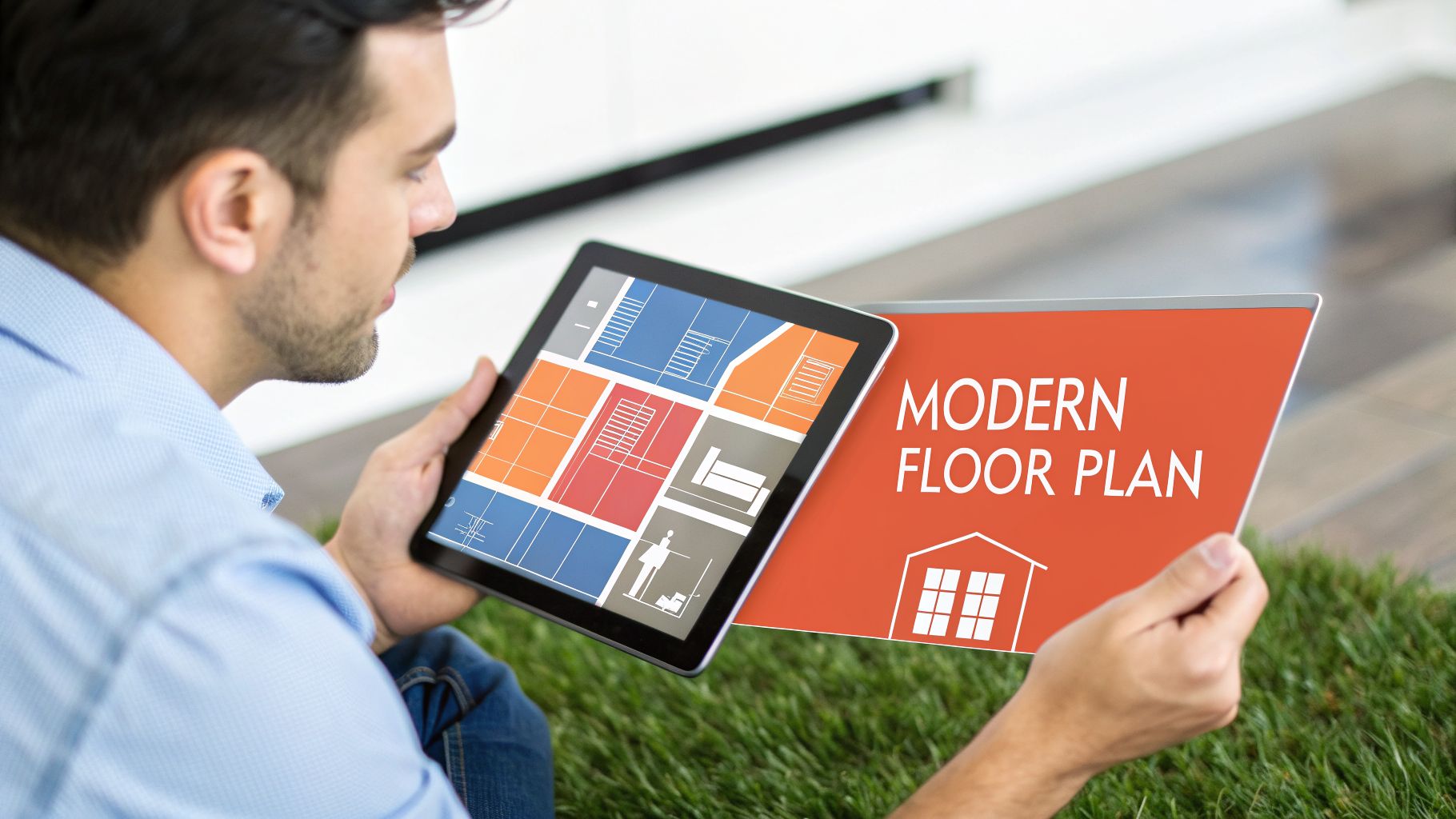
A modern plan is built with a specific business outcome in mind. Is it a retail space designed to pull shoppers toward high-margin items? An open-concept office meant to spark collaboration? Or an industrial warehouse built for pure logistical speed?
The right layout directly impacts the bottom line by shaping:
- Operational Efficiency: A smart layout eliminates wasted motion and streamlines daily work, which is a direct boost to productivity.
- Customer Experience: For retail or service businesses, an intuitive flow makes it easy for customers to navigate, find what they need, and spend more.
- Safety and Compliance: It’s the foundational document for ensuring the space meets fire codes, accessibility standards like the ADA, and all other local ordinances.
A floor plan is more than a map; it's a strategic asset that has to serve multiple purposes. To be truly effective, it needs to speak to both the marketing vision and the practical realities of compliance.
Elements of a High-Impact Commercial Floor Plan
Ultimately, a plan that addresses both marketing and compliance from the start saves time, prevents costly revisions, and helps close deals faster by answering a prospect's unasked questions.
The Shift to Dynamic Visuals
This focus on better visuals has fueled a tech boom in the industry. The numbers tell the story: the global market for floor plan tools is on track to hit $809.7 million in 2025, growing at a steady 11.2% compound annual growth rate. The demand for more immersive experiences is undeniable, with the 3D floor plan segment alone valued at $484.3 million. You can find more insights about floor plan tool market trends and how they're reshaping the industry.
This isn’t just about making things look pretty. It's a fundamental shift in strategy. Brokers and property managers are moving away from flat, basic drawings and embracing dynamic visuals that answer questions and overcome objections before they even come up.
A great floor plan tells the story of the business that will operate inside. It shows you where the action is, how people will interact, and how the space itself becomes a partner in the company's success.
Technology's Growing Role
New tools, especially those driven by AI, are completely changing how these essential documents get made. What used to be a time-consuming and expensive manual process can now be done in a fraction of the time.
For example, with a platform like Bounti, you can take a simple video walkthrough of a property and have it automatically converted into a detailed, accurate floor plan. This doesn't just make the process faster; it nearly eliminates human error. It gives brokers, agents, and property managers the power to market spaces with a speed and precision that was impossible just a few years ago.
Getting Your Measurements and Scale Right
Every good commercial floor plan is built on a foundation of unshakeable accuracy. Before you even think about opening your software, you have to get the measurements right. It's the most critical part of the whole process.
Being off by just a few inches can create a domino effect of problems, messing up everything from furniture orders to code compliance. This is where the real work begins.
Your first choice is your tool. A classic tape measure might cut it for a simple, boxy room, but let’s be honest, it’s easy to make a mistake, especially across long distances or around weird angles. For almost any commercial property, a laser distance measurer is the way to go. It's fast, it's dead-on accurate, and it saves a ton of headaches.
But before you start zapping lasers, you need to conduct a thorough site survey to confirm every single dimension. This isn't just about wall lengths; it's about locking down the exact location of every permanent fixture that could impact the layout.
Handling Tricky Architectural Features
Rarely are commercial spaces perfect rectangles. You’re going to run into columns, alcoves, and walls that just refuse to be parallel. Here’s how to deal with them.
- Structural Columns: Don't just measure the space around them. First, measure the room’s overall dimensions as if the column isn't even there. Then, measure the column itself—width, depth, and its exact distance from the two nearest walls. This gives you the precise coordinates to place it on your plan.
- Odd Angles: When you hit a room that isn't square, triangulation is your best friend. Measure the length of each wall, then measure the diagonals from corner to corner. This method creates a set of triangles, giving you a foolproof way to replicate the room's exact shape in your software.
- Recesses and Alcoves: Treat these like mini-rooms. Measure their depth and width as separate little rectangles, and make a note of exactly where they sit along the main wall.
Nailing these details means your base measurements are solid. It's the difference between a professional plan and an amateur sketch that sends you back to the property for a do-over.
Understanding and Applying Architectural Scale
Once your measurements are locked in, it's time to translate them to paper or a screen using a consistent architectural scale. Scale is just the ratio that shrinks the real-world building down to a manageable drawing size.
Without it, your floor plan is just a diagram with no real meaning. A go-to scale for most commercial plans is 1/4" = 1'-0". This simply means every quarter-inch on your drawing represents one full foot in the actual building. For massive industrial spaces, you might see something like 1/8" = 1'-0".
The specific scale you choose matters less than your consistency. You have to stick with the same scale across the entire drawing. This is what allows a contractor to pull accurate dimensions, a designer to fit furniture, and a fire marshal to verify egress paths.
Mixing scales on one drawing is a recipe for absolute disaster. You're just guaranteeing that someone will misread the plan. Always, always state the scale clearly in the title block of the drawing to eliminate any guesswork.
The Modern Advantage: AI and Video Capture
The good news? Technology has delivered a massive shortcut that all but eliminates manual error. Modern tools, including AI-powered apps, can now generate a highly accurate floor plan for a commercial building from nothing more than a walkthrough video.
Seriously. You just walk through the space with your smartphone, and the app uses a combination of computer vision and sensor data to map everything automatically. It identifies walls, doors, windows, and fixtures, then spits out a to-scale floor plan in minutes.
This isn't just about saving a few hours of measuring. It delivers a level of precision that’s tough to match by hand, especially in complex spaces. For brokers and property managers who need professional-grade plans on a tight deadline, it’s a total game-changer.
How to Navigate Building Codes and Compliance
Getting the measurements right is one thing. Making sure your floor plan is actually legal is a whole different ballgame. This is where so many projects grind to a halt. Compliance isn't just about red tape and avoiding fines; it's the bedrock that ensures a commercial space is safe, accessible, and ready for business.

Think of it this way: a brilliant layout that fails inspection is worthless. Every floor plan for a commercial building has to run a gauntlet of rules covering everything from fire safety to wheelchair access. Get this right from the start, and you'll save yourself a world of pain in rework and delays.
The Foundation of Safety: Local Building and Fire Codes
Your first stop should always be your local city or county building authority. Building and fire codes can be surprisingly different from one jurisdiction to the next, and these local ordinances set the absolute minimum safety standards you have to meet.
Fire codes are notoriously strict, and for good reason. They're all about getting people out of the building safely and quickly in an emergency. When a fire marshal looks at your plan, they're not looking for suggestions—they're looking for these non-negotiable elements:
- Clear Egress Paths: The plan must show a completely clear, unobstructed path from anywhere in the building to a safe exit. No exceptions.
- Sufficient Exit Widths: Hallways and doors need to be wide enough for the building's maximum occupant load to pass through without creating a dangerous bottleneck.
- Correct Travel Distance: Codes put a hard limit on how far someone can be from the nearest exit. This single rule dictates where your doors and stairwells have to go.
- Occupancy Limits: The floor plan is used to calculate the maximum number of people allowed in the space, which in turn determines how many restrooms and exits you need.
Miss any of these, and your plans will be rejected on the spot, stopping your project cold.
Accessibility Is Not an Option
Beyond fire safety, accessibility is a pillar of modern commercial design. The Americans with Disabilities Act (ADA) isn't just a guideline; it's a federal civil rights law with very specific design mandates. A compliant floor plan isn't about tacking on a ramp—it's about designing an inclusive space from the ground up.
Your layout has to prove it meets key ADA standards. That means mapping out accessible routes, guaranteeing proper doorway clearances, and showing there's enough turning space for wheelchairs in critical areas like restrooms.
The ADA isn't just a checklist. It's a design philosophy. You have to think about usability as a core principle of the layout, not an afterthought.
Cutting corners on ADA requirements can lead to painful lawsuits and force you to tear out brand-new construction. A compliant plan is your best insurance policy.
Zoning and Its Impact on Your Layout
Zoning laws control how a property can actually be used. A building zoned for retail plays by a different set of rules than one meant for industrial use or offices. These regulations can dramatically limit your layout options, influencing everything from parking requirements to the kind of signs you can hang out front.
For example, a retail space might have specific rules about customer-facing entrances, while a warehouse plan will get scrutinized for loading dock logistics. Before you get too attached to a layout, you have to verify that what you want to do is even allowed by the local zoning ordinance. Skip this step, and you might get denied before you even begin.
This is especially critical right now. With up to 130 million square meters of office space at risk of becoming obsolete and demand potentially dropping 20% below pre-2020 levels, creative reuse is key. Floor plans that smartly navigate codes are essential for turning these properties around, helping owners avoid a potential $800 billion in lost value. You can see the data on adaptive reuse and building codes to grasp the full market impact.
While it can feel like a lot to juggle, it’s a non-negotiable part of the process. For any project of real scale, hiring an architect or a code compliance expert is one of the smartest investments you can make. They'll spot the landmines early and make sure your floor plan for a commercial building sails smoothly from concept to reality.
Smart Layouts for Different Commercial Properties
The perfect layout for a buzzy tech startup would be a disaster for a high-end retail boutique. It's a simple truth in commercial real estate: one size never fits all. The smartest floor plan for a commercial building isn't just a diagram; it's a strategic tool built for the specific business it needs to house.
Choosing the right layout has a direct line to productivity, how customers behave, and ultimately, the tenant's bottom line. Let's dig into the design principles that actually work for three major commercial property types, and move past the generic templates to create spaces that perform.
Designing the Modern Office Space
The way we work has completely changed, and office layouts are still catching up. The goal isn't just cramming in as many desks as possible anymore. It's about building an environment that supports deep, focused work while also sparking collaboration. This usually boils down to three main models, each with its own trade-offs.
The Open-Plan Layout: We all know this one. Big, open rooms with shared desks or clusters of workstations. The idea is to get people talking and create a sense of community. From a building owner's perspective, it’s a win for cost and density. The flip side? The constant noise and distractions can absolutely crush individual productivity.
The Cubicle or Cellular Layout: This is the classic approach—partitioned cubicles or actual private offices that give every employee their own quiet bubble. It’s perfect for jobs that require serious concentration, like legal or financial services. But it can also feel isolating and kill the spontaneous "aha!" moments that drive so many businesses.
The Hybrid Model: This is where most of the market has landed, and for good reason. It offers the best of both worlds. A hybrid floor plan mixes different zones: open areas for teamwork, quiet "focus pods," traditional private offices, and flexible meeting rooms. It lets people choose the right space for the task at hand. You can dig deeper into how modern layouts affect day-to-day operations in our guide to effective property management strategies.
The best office layout today isn't about picking one model—it's about offering choices. A flexible, hybrid design shows potential tenants you get it, making your property way more appealing in a competitive market.
Crafting the Ideal Retail Experience
In a retail space, the floor plan is your silent salesperson. Its job is to guide customers on a journey, manage the flow of people, and put merchandise in their path in a way that feels natural and compelling.
The layout you pick literally dictates how shoppers feel and what they see.
Grid Layout: Picture a grocery store or a big-box hardware store. This design uses long, parallel aisles that are super efficient and instantly familiar. It maximizes the amount of product you can display and is ideal for shoppers who are on a mission and just want to get in and out.
Loop (or Racetrack) Layout: This layout creates a defined circular path that leads customers from the entrance, around the store, and back to the checkout. It's a department store favorite because it guarantees shoppers are exposed to a huge chunk of the inventory.
Free-Flow Layout: You'll see this in smaller boutiques and specialty shops. Fixtures and displays are arranged in a more organic, less symmetrical way. It's all about creating a sense of discovery, encouraging people to wander and explore—perfect for higher-end brands focused on the experience.
A great retail floor plan just feels right. It subtly directs attention, prevents annoying bottlenecks, and makes the whole shopping experience smooth and enjoyable. That’s how you drive sales and get people to come back.
Optimizing Industrial and Warehouse Spaces
For industrial properties like warehouses and manufacturing facilities, the floor plan for a commercial building is all about pure efficiency and safety. Forget aesthetics; this is about raw function. The entire layout is an engine designed to streamline operations and get the most out of every single square inch.
The goals here are brutally simple:
- Maximize Storage Capacity: This usually means planning for tall, high-density racking systems and making sure the concrete slab can handle immense weight.
- Optimize Workflow: The layout has to create a logical, one-way path for goods. In through receiving, into storage, over to packing, and out through shipping. Every wasted step costs money.
- Ensure Safe Operation: This is non-negotiable. It means designing wide aisles for forklifts, clearly marking separate zones for people and machinery, and leaving plenty of clearance around loading docks.
An industrial layout is a logistical puzzle. Get it right, and you lower the tenant's operating costs, prevent accidents, and help them run a more profitable business from day one.
Choosing the Right Tools for the Job
You’ve got your measurements. Now it's time to turn that raw data into a professional floor plan for a commercial building. The tools out there run the gamut, from beastly professional software to shockingly simple AI solutions. The best choice always comes down to a trade-off: control versus speed, and cost versus your own comfort level with the tech.
For decades, the undisputed heavyweight has been Computer-Aided Design (CAD) software like AutoCAD. This is the go-to for architects and engineers who need absolute precision for construction documents. CAD's power is undeniable—it handles detailed layers, structural notes, and MEP plans—but it also comes with a notoriously steep learning curve and a serious price tag.
More Approachable Software Solutions
Let's be real: not everyone needs to draft blueprints for a skyscraper. More user-friendly programs like SketchUp and RoomSketcher have thankfully filled the gap, offering powerful features without demanding an engineering degree. They're perfect for brokers, property managers, and business owners who need to create clean, accurate layouts for marketing or simple space planning.
These tools often rely on an intuitive drag-and-drop interface. This makes it much easier to play around with furniture placement and test-drive different layouts, which is critical in a market where envisioning a space's potential is everything. As new construction slows, the ability to show how an old space can be repurposed is what closes deals. To get ahead of the game, pairing your design software with modern construction estimating software can give you a massive advantage by dialing in project cost projections right from the start.
The New Wave: AI and Automated Floor Plans
The biggest game-changer we've seen in years is the explosion of AI-driven platforms. These services have practically automated the entire process. You can literally take a video walkthrough on your phone, and an AI will spit out a polished, MLS-ready floor plan. It handles the measuring, the drafting, and the final rendering, often in just a few minutes.
For a busy commercial real estate pro, this is a massive win. It vaporizes the old bottleneck of manual drafting. Think about it: you can instantly generate multiple layout options for a prospect, showing how that empty warehouse could become a buzzing distribution hub or how a wide-open office can be split into private suites.
This little decision tree helps visualize how the property type dictates your entire approach.
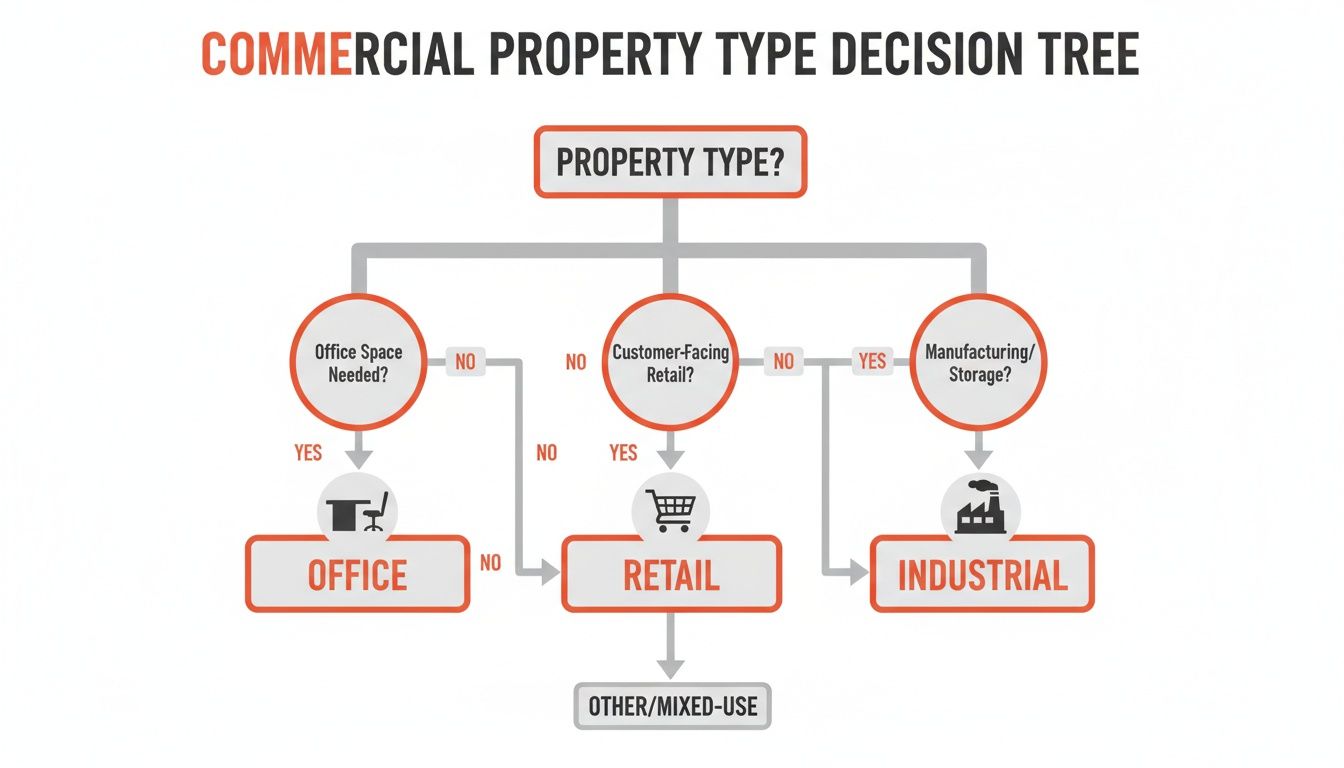
It’s a simple reminder that the building's function—whether it’s for office work, retail, or industrial operations—should be the first thing that informs the tools and design principles you use.
A Practical Comparison of Floor Plan Tools
Choosing the right tool can feel overwhelming, so I've put together a quick comparison to help you match the software to the job at hand. This isn't about which is "best," but which is the best fit for your specific needs right now.
Ultimately, the goal is to get a professional, accurate floor plan into a client's hands as quickly as possible. The right tool just makes that happen with less friction.
So, What's the Right Call?
The honest answer? It completely depends on what you're trying to accomplish.
- For Official Construction Documents: Don't mess around. Stick with traditional CAD software and a licensed professional. When legal and structural integrity are on the line, there’s no substitute.
- For Marketing and Space Planning: A user-friendly tool like SketchUp hits the sweet spot. You get plenty of control to create detailed, attractive plans that help prospects really see themselves in the space.
- For Sheer Speed and Efficiency: AI-powered services like Bounti are in a league of their own. When you need a high-quality, accurate floor plan for a new listing yesterday, automation is the only way to go.
After creating your floor plans, don't forget you can elevate your entire marketing package by seeing how the best AI photo editing software can enhance your property photos, creating a powerful and cohesive presentation.
Finalizing Your Plan for Marketing and Handoff

A truly effective floor plan for a commercial building has to pull double duty. It needs to work as a clean, compelling marketing asset that helps a prospect imagine their business in the space. Then, it has to pivot into a detailed, practical guide for contractors executing a build-out.
The secret is creating a single, adaptable plan that serves both audiences. This smooths out the entire process, from that first listing to move-in day. The marketing version is all about visual appeal and simplicity, designed to be understood in a single glance. It's about selling the potential.
Optimizing Your Floor Plan for Marketing
Think of your marketing floor plan as a critical sales tool. Every line and label should build confidence and preemptively answer a prospect’s questions. This isn't the time for exhaustive technical detail; it's about clarity and a professional finish.
For an MLS-ready or brochure-ready version, make sure it includes the non-negotiables:
- A Clear North Arrow: This is fundamental. It orients the viewer and helps them understand how the space relates to sunlight and other site features.
- Scale and Total Square Footage: Displaying the scale (e.g., 1/4" = 1'-0") and the total square footage adds instant credibility and answers the first question on every prospect's mind.
- Legible Room Labels: Use simple, direct labels like "Open Office Area," "Conference Room," or "Reception" to define each area's function.
- Your Branding: A subtle logo or contact info reinforces your brand and makes it easy for interested parties to get in touch.
When it comes to digital listings, stick with high-resolution JPGs and universally accessible PDFs. They load fast, look sharp on any device, and are easy to share or print. You can take this a step further by digitally furnishing the space to showcase different layout possibilities—our virtual staging guide shows you exactly how to do that.
A great marketing floor plan doesn't just show dimensions; it sells a vision. It's clean, easy to read, and helps a potential tenant immediately picture their future business thriving within those walls.
Preparing a Plan for Contractor Handoff
Once a lease is signed, your floor plan's job description changes. It’s no longer about marketing; it’s about execution. The contractor-ready version needs an entirely new layer of technical detail to guide construction and—most importantly—prevent expensive mistakes.
This plan becomes the central communication tool between you, the new tenant, and the build-out team.
Start with your clean marketing plan as the base, then add layers specifying the precise locations for key infrastructure. This version needs to show exactly where to put:
- Electrical outlets and data ports
- Plumbing fixtures and connections (sinks, drains, etc.)
- HVAC vents and thermostats
- Lighting fixtures and switches
This dual-purpose strategy makes your floor plan for a commercial building a hardworking asset from start to finish. You’ll have a polished tool to hook prospects and a detailed blueprint to ensure their new space gets built exactly as planned, saving everyone time, money, and headaches.
Your Commercial Floor Plan Questions Answered
Even when you have a solid plan, a few questions always seem to pop up in the middle of a project. Let's tackle some of the most common ones I hear from brokers and property managers.
What Is the Biggest Mistake to Avoid When Measuring
Hands down, the single most expensive mistake you can make is starting with bad measurements. It sounds obvious, but it happens all the time.
A tiny error of a few inches might not seem like a big deal, but it compounds across the entire space. Suddenly, furniture doesn't fit, egress calculations are off, and your cost-per-square-foot estimates are completely wrong. A classic rookie mistake? Forgetting to account for wall thickness, which can throw off your usable square footage.
My advice: Always measure twice. Better yet, use a laser measure or an AI-powered app to get it right the first time.
How Can I Show Clients Different Layout Options Quickly
Forget spending a weekend drafting five different versions of the same floor plan. The modern way to do this is with software that includes virtual staging.
AI-powered tools are a game-changer here. You generate one accurate base plan and then you can instantly show a client what the space looks like with an open-plan office versus private suites. It lets them see the potential without you spending hours on manual redesigns.
For marketing purposes and initial client discussions, you absolutely do not need to be an architect. User-friendly software and AI services have made it easy for brokers and property managers to create professional, accurate floor plans.
Do I Need an Architect to Create a Commercial Floor Plan
This is a critical distinction. For marketing, leasing discussions, and initial space planning? No, you don't.
But the second you’re talking about construction, pulling permits, or making any significant structural changes, you must bring in a licensed architect or engineer. They are the only professionals who can legally produce and stamp the construction documents needed to meet building codes and ensure the project is sound.
Ready to create stunning, accurate floor plans in minutes? With a single video walkthrough, Bounti Labs automatically generates marketing-ready visuals, including floor plans, property descriptions, and even virtual staging. See how it works.