These days, planning an office space isn't just about filling square footage. It's about creating a strategic asset—a place that genuinely drives productivity and helps you land top talent. This means looking at the whole picture and turning business goals into a physical environment that works for your employees, your workflow, and your future.
Think of it this way: the right workspace is a tool for growth, not just another line item on the budget.
Rethinking Your Approach to Planning Office Space
Not too long ago, office planning was a simple math problem: take your number of employees, multiply by the square feet needed per person, and sign the lease. That formula is completely obsolete.
Today's workplace is a living, breathing ecosystem. Planning office space has evolved into a strategic discipline that can make or break a company's success. It’s no longer about where people sit. It’s about creating an environment that screams your company culture, supports all the different ways your team works, and acts as a magnet for the best people in your industry.
This calls for a total mindset shift. Instead of seeing the office as a fixed cost, the sharpest real estate pros view it as a flexible, high-impact investment. The real goal here is to design a space that actively helps a business hit its targets.
Beyond Blueprints to Business Strategy
Great office planning starts by asking the right questions, long before you even think about looking at a floor plan. You have to get into the client's operational DNA. Here’s what you need to be thinking about:
- Productivity and Workflow: How do teams actually get work done? Do they need quiet, heads-down zones for deep focus, or is it all about dynamic hubs for spontaneous collaboration? A mix is usually the answer.
- Cultural Expression: How can the four walls of an office reflect the company's brand and what it stands for? A creative agency's space should feel fundamentally different from a financial firm's.
- Talent Attraction and Retention: A thoughtfully designed office is one of your best recruiting tools. What amenities and features will make employees feel valued, supported, and genuinely excited to come to work?
- Future-Proofing: How will this space adapt? You need a design that can handle growth, new tech, and the continued evolution of work itself, like hybrid schedules.
For a deeper dive, there's a comprehensive guide to office space planning and design that walks through the entire strategic process. It’s a solid resource for understanding all the moving parts.
The most effective office spaces are designed with intention. They're the result of a deliberate process that aligns the physical environment with the strategic goals of the organization, treating the workplace as a critical tool for success rather than a mere container for employees.
Ultimately, this modern playbook is about moving beyond outdated checklists. It gives agents and leasing teams a framework to become true strategic partners for their clients.
By mastering these principles, you can guide clients toward future-proof real estate decisions. You're not just presenting them with an empty space; you're showing them a vision for their company's future. And with modern tools like AI-powered visualizations, it’s never been easier to bring that vision to life, helping clients see the potential and close the deal faster.
Translating Business Goals into Space Requirements
Smart office planning isn't about filling out a generic questionnaire on headcount. The real work starts when you translate big, abstract business goals—like "fostering innovation" or "supporting our new hybrid model"—into actual, physical space needs. It's less about filling square footage and more about decoding a company's unique operational and cultural DNA.
A solid discovery process means getting under the hood of how a business really works. You need to conduct insightful stakeholder interviews, analyze how the current space is being used (and more importantly, where it’s failing), and get a realistic handle on future growth projections. This is how you turn a CEO's vision for "more collaboration" into a tangible plan for breakout zones, huddle rooms, and tech-ready project spaces.
Ultimately, modern office planning comes down to balancing three key pillars: culture, productivity, and talent.
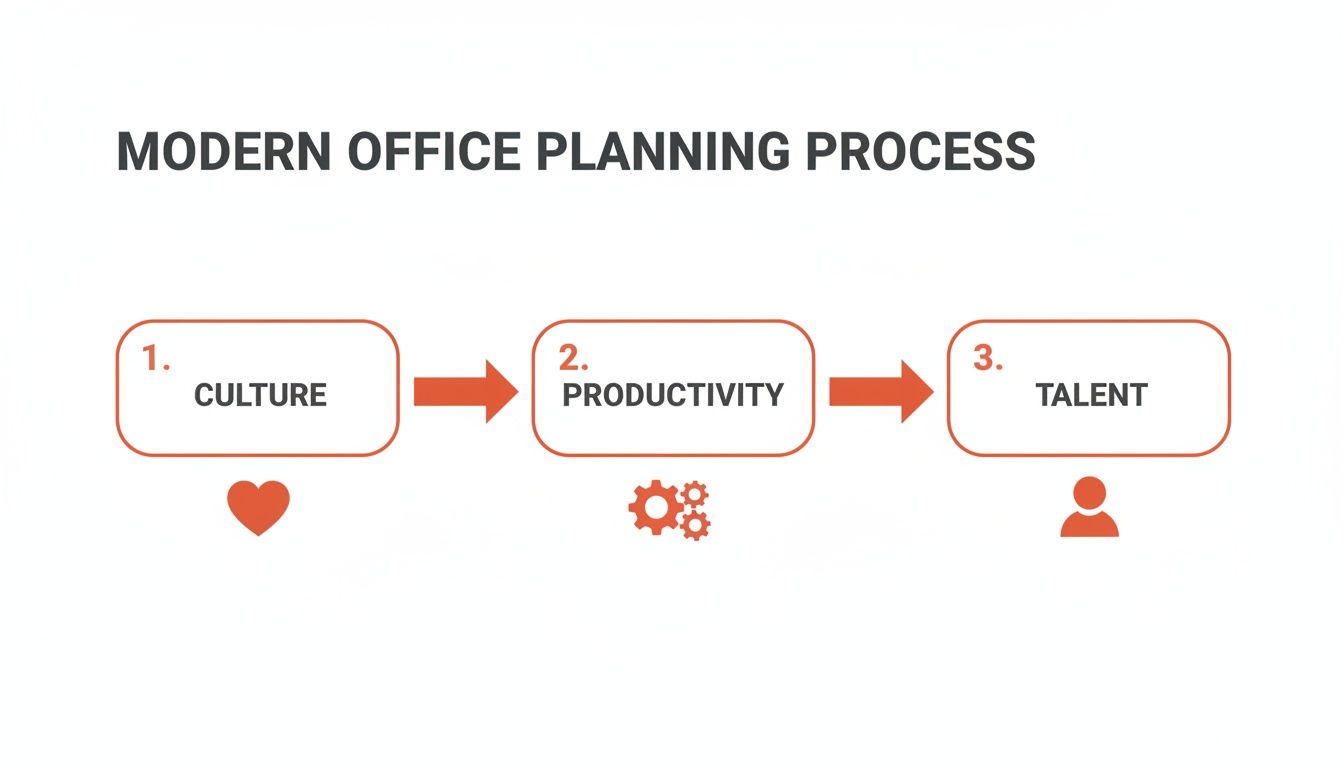
This flow shows that a workspace truly succeeds only when the design actively supports company values, makes workflows smoother, and acts as a magnet for attracting and keeping the best people.
Uncovering Latent Needs Through Strategic Questioning
Clients usually know their pain points, but they rarely know how to translate them into spatial solutions. Your job is to guide them with probing questions that dig up the latent needs they haven't even thought of. Getting past "how many desks do you need?" is absolutely critical if you want to plan an office that genuinely works.
Instead, frame the conversation around activity and aspiration. This simple shift moves the focus from capacity to function, ensuring the final design is both practical and built for the future.
Try some of these conversation starters:
- Workflow Mapping: "Walk me through the lifecycle of your most important projects. Where do handoffs happen? Where are the real bottlenecks?"
- Collaboration Styles: "Think about a recent team project that was a huge success. What made that collaboration click, and what role did the physical space play?"
- Future Vision: "If you grew by 30% in the next two years, what would break first in your current office?"
- Cultural Identity: "What's the one thing a new hire should feel the moment they walk into your office for the first time?"
These questions deliver far richer, more nuanced answers than any standard checklist ever could. They give you the qualitative data you need to design a space that fits the company's unique rhythm and ambition.
From Data Collection to Space Programming
All those great insights from interviews and observations have to be turned into a detailed space program. Think of this document as the foundational blueprint that quantifies the company's needs, room by room and function by function.
A robust space program doesn't just list room types; it defines them. It maps out required adjacencies (who needs to sit near whom?), tech requirements, and the desired vibe for each zone. For example, it clearly distinguishes a formal, 12-person boardroom from a casual, four-person huddle space with digital whiteboards.
A well-developed space program is the single most important tool in office planning. It’s the bridge between the client's vision and the architect's design, ensuring every square foot is allocated with purpose and directly supports a specific business objective.
This data-driven approach has never been more critical. Corporate real estate leaders are now focused on portfolio optimization over simple cost-cutting, treating their space as a strategic business asset. And while 74% of organizations collect utilization data, a shocking 7% feel their data analysis is actually any good. This gap is a massive opportunity for real estate pros to add real value by providing superior market intelligence and data-backed planning. You can learn more about how the office market is evolving by reading the full report on NAIOP.org.
When you ground your recommendations in a thorough discovery process, you ensure the final office design isn't just a collection of rooms, but a strategic tool engineered for success.
Designing for Productivity and Employee Wellbeing
Once you have the raw data on your space needs, it's time for the fun part: turning those numbers into a physical layout that actually feels good to work in. This is where you move beyond the spreadsheet and start creating an environment that supports how your client's team really works. The goal is to design a space that’s intuitive, sparks the right kinds of collaboration, and gives people the flexibility they need.
A well-designed office shouldn't need a user manual. Think about the circulation paths—the invisible highways people use to get from the entrance to their desks, to meeting rooms, and to the coffee machine. Keep these paths wide and clear to avoid traffic jams and prevent disruptions for people trying to focus.
This naturally leads to adjacency planning. It’s just a fancy term for strategically placing teams and departments that work together frequently right next to each other. Your marketing and sales teams probably need to be in close proximity for quick huddles, while the engineering team might appreciate a quieter corner, away from the constant foot traffic.
Zoning for Different Work Modes
Modern work isn't one-size-fits-all. People switch between deep focus, chaotic brainstorming, and casual chats all day long. A smart office plan accounts for this by creating distinct zones for these different activities, moving way beyond the old-school, open-plan-for-everyone model.
Think of it as creating a menu of work environments:
- Focus Zones: These are your library-quiet areas built for heads-down, concentrated work. Think individual pods, chairs with high backs for privacy, or dedicated quiet rooms where talking is off-limits.
- Collaboration Hubs: This is where the energy is. These are open spaces designed for teamwork, with big tables, digital whiteboards, and modular furniture you can rearrange on the fly.
- Social and Breakout Areas: Don't underestimate the power of the kitchen or a comfy lounge. These informal spots are where company culture is built and where some of the best, most spontaneous ideas are born.
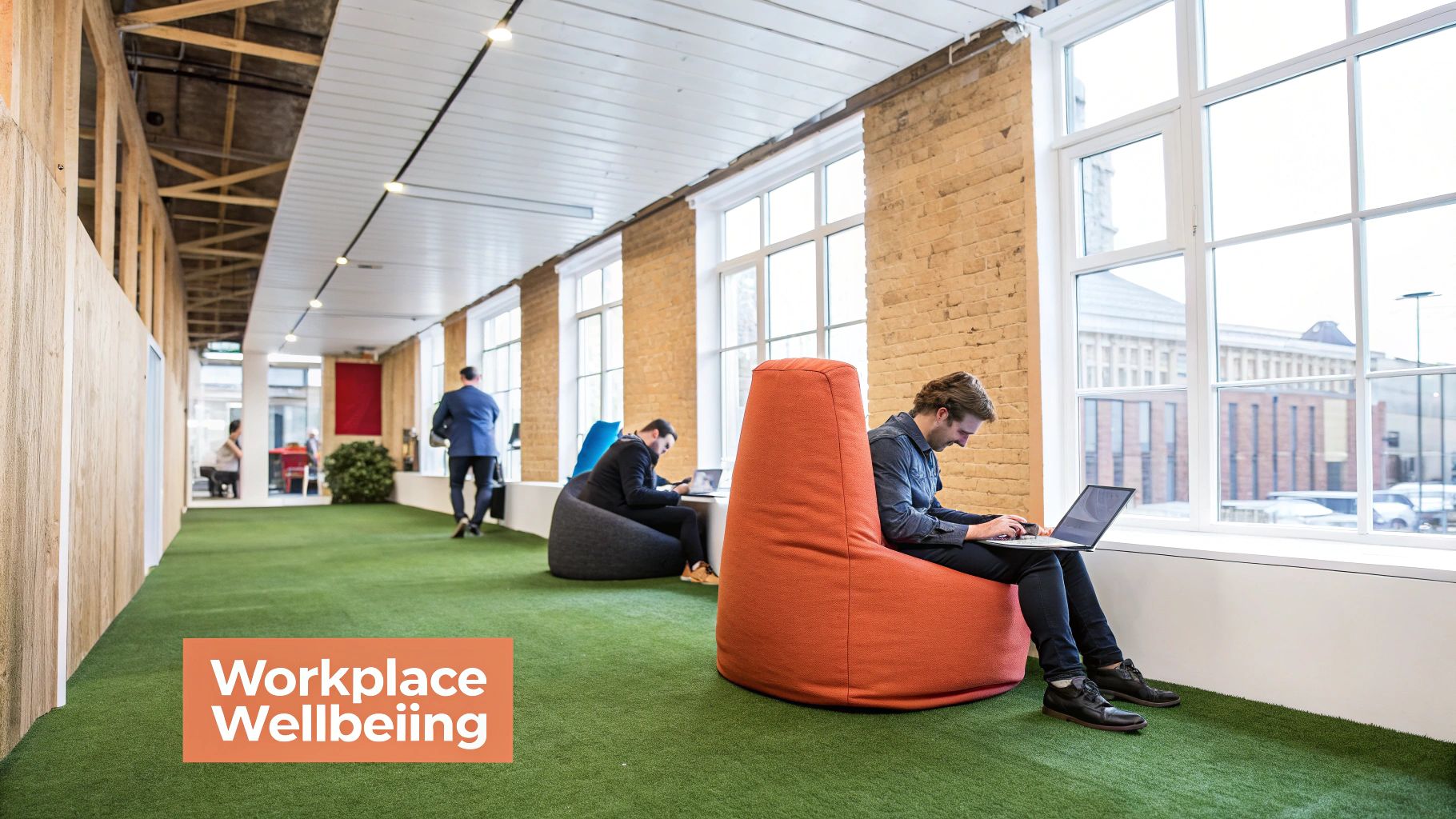
This shift isn't just a trend; it's a market reality. Flexible and coworking spaces are seeing a huge comeback, with global occupancy rates hitting 68% and climbing past 70% in major cities. The demand is split, too—operators report strong interest in both team offices and single-person spaces, proving that businesses need a mix of environments to thrive.
Balancing Density with Comfort
One of the trickiest parts of office planning is getting the density right—the average square footage per person. This isn't just about saving money on rent; it has a direct impact on employee comfort, focus, and overall satisfaction. Jam too many people in, and you get noise and distractions. Spread them out too much, and the space can feel dead (and you're wasting money).
Hybrid work has completely changed this calculation. Instead of a dedicated desk for every single employee, companies are getting smarter with flexible seating.
- Activity-Based Working (ABW): Nobody "owns" a desk. Employees choose a spot that fits their task for the day—a focus pod in the morning, a collaborative table in the afternoon.
- Neighborhood Seating: Teams are assigned to a general "neighborhood" in the office. Within that zone, they can grab any open desk. This keeps teams connected while still offering flexibility.
By shifting the focus from who a space is assigned to, to how it’s actually used, you can create a far more efficient and dynamic workplace. You're aiming for a comfortable, productive buzz—not a silent library or a chaotic trading floor.
For a quick reference, here are some common industry standards you can share with clients to help them visualize their space needs.
Space Allocation Standards Per Employee
These are just starting points, of course. The final numbers will depend on the specific mix of collaboration spaces, amenities, and circulation paths.
Prioritizing Wellbeing and Compliance
A great office is also a safe, healthy, and inclusive one. Weaving employee wellbeing into the design isn't just a "nice-to-have" anymore; it's a must for attracting and keeping top talent. This can be as simple as maximizing natural light—a proven mood and energy booster—or incorporating biophilic design with plenty of indoor plants.
A few key wellbeing amenities to consider:
- Wellness or meditation rooms for quiet breaks.
- Ergonomic furniture that actually supports people's bodies.
- Healthy snack and drink options in the kitchen.
- Well-lit, tech-ready conference rooms that make hybrid meetings feel less clunky.
Finally, and this is crucial, every design has to meet legal and safety standards. Compliance checks are non-negotiable. This means ensuring the layout follows Americans with Disabilities Act (ADA) guidelines for accessibility, from doorway widths to restroom layouts. It also means meeting local fire codes for clear exit paths and occupancy limits. Bring in an architect or certified designer early on to bake these requirements into the plan from the start. It will save you from massive headaches and costly changes down the line.
To help clients visualize how these layouts can come to life before a single wall is built, check out our guide on virtual staging.
Managing Budgets and Timelines for a Smooth Transition
A brilliant office space plan is just a pretty picture without a realistic financial and logistical roadmap to make it happen. This is exactly where I've seen countless well-intentioned projects go completely off the rails. To actually execute your client's vision, you have to master budgeting and timeline management. Get it right, and you ensure a smooth transition with no nasty, expensive surprises.
The first step in guiding a client through the money side of things is to demystify the budget. A real project budget isn’t just one number; it’s a detailed breakdown of every single anticipated expense, which typically falls into two buckets.
Differentiating Hard and Soft Costs
To build an accurate budget, you have to separate the tangible expenses from the intangible ones. This simple act of clarification helps clients see exactly where their money is going and prevents critical items from getting missed.
- Hard Costs are the physical, touchable elements. Think construction materials (framing, drywall, plumbing), furniture, light fixtures, IT hardware like servers and cabling, and security systems. If you can kick it, it’s probably a hard cost.
- Soft Costs cover the essential services needed to bring the project to life. This is where you’ll find architectural and design fees, engineering consultations, permit and inspection fees from the city, legal costs, and project management expenses.
Forgetting soft costs is one of the most common and painful mistakes I see. A client will budget for every desk and chair but completely overlook the fact that design, permits, and professional fees can easily eat up 15-20% of the total project cost. Laying out both cost types from day one sets realistic financial expectations and builds trust.
The best project budgets aren't static spreadsheets; they're living documents. Always, always build in a contingency fund—typically 10-15% of the total cost—to absorb the inevitable surprises without blowing up the whole project. This foresight is what separates the pros from the amateurs.
Finding Savings Through Value Engineering
When the initial numbers come in hot, the first instinct is often to slash the scope or cheap out on quality. Don't do it. A much smarter approach is value engineering, which is a methodical way of finding less expensive alternatives without sacrificing the overall vision.
It’s not about being cheap; it’s about being smart. For example, instead of that gorgeous custom-milled reception desk, maybe you find a pre-fabricated model with a nearly identical look for a third of the price. Or perhaps you can swap in a more cost-effective—but still durable—flooring material for the low-traffic zones. Value engineering is a team sport played with the architect and contractor to find intelligent substitutions that protect both the budget and the design. Smart property management is all about creating this kind of long-term value from the get-go.
Mastering Project Phasing and Timelines
For any client trying to renovate an occupied space or move in stages, project phasing is non-negotiable. This strategy breaks the entire process into manageable, sequential steps to keep their business running with minimal disruption. A classic example is renovating one floor while the team works on another, then moving them into the finished space before you tear up the next one.
Building a realistic timeline is like choreographing a complex ballet with a dozen different partners. It’s not just about the construction schedule; it’s about making sure everyone hits their mark at the right time.
A solid timeline has to account for all these moving parts:
- Design and Permitting: This can take weeks or even months, depending on your local municipality. Nothing moves until the city gives you a stamp of approval.
- Vendor Lead Times: That perfect sofa or specialized server rack? It could have a 12-week lead time. These items need to be ordered way in advance to show up on schedule.
- Construction and Build-Out: This is the phase everyone sees, but its success is completely dependent on the first two steps happening on time.
- IT and Security Setup: Low-voltage cabling and server installation have to be coordinated with the construction crew. Trying to run wires after the drywall is up is a recipe for expensive rework.
- Move-In and Decommissioning: The final sprint involves the physical move, furniture assembly, and properly closing out the old lease to get that security deposit back.
By mapping out these dependencies and building buffer time into the schedule, you give your clients a clear, achievable plan. That kind of foresight is what turns a potentially chaotic mess into a structured, predictable, and successful move.
Using AI Visualizations to Secure Client Buy-In
After all the careful planning, number-crunching, and design work, this is where the rubber meets the road. You have to translate your plan into a vision the client can actually see and get excited about.
For years, that meant unrolling a dusty set of 2D floor plans and asking the client to "imagine" what the space could be. We all know how well that works. Thankfully, that whole song and dance is a thing of the past.
AI-powered visualizations have completely changed the game. Instead of asking clients to connect the dots, you can now show them their future office in stunning, photorealistic detail. This isn't just about a prettier presentation; it’s about crushing uncertainty, building genuine excitement, and closing the deal—fast.
Beyond the Blueprint: The Power of Instant Staging
The biggest hurdle with an empty or dated office is the "imagination gap." Most people just can't see past ugly carpets, vacant rooms, or the ghost of the last tenant's messy setup. AI tools close that gap in a heartbeat.
Using a platform like Bounti, you can snap a photo of a raw space and, in minutes, serve up a fully staged, modern office that reflects the client's specific brand and culture. The conversation instantly shifts from an abstract "what if" to a tangible "what about this?"
Here’s where this really becomes a secret weapon:
- Show, Don't Just Tell: Why describe three different layouts when you can show them? In a single meeting, you can present an open-plan collaborative hub, a traditional layout with private offices, and a hybrid model—all for the same suite. No waiting on a designer.
- Virtual Decluttering: Is the current tenant a bit of a mess? No problem. AI can digitally erase all the clutter, instantly showing off the suite’s clean lines and true potential.
- Match Their Vibe Instantly: If a client says they’re going for an industrial loft feel or a clean, Scandinavian design, you can apply those styles to the space on the fly. It makes the vision personal and immediate.
AI lets you instantly generate a vision for an empty commercial space, helping clients see what's possible.
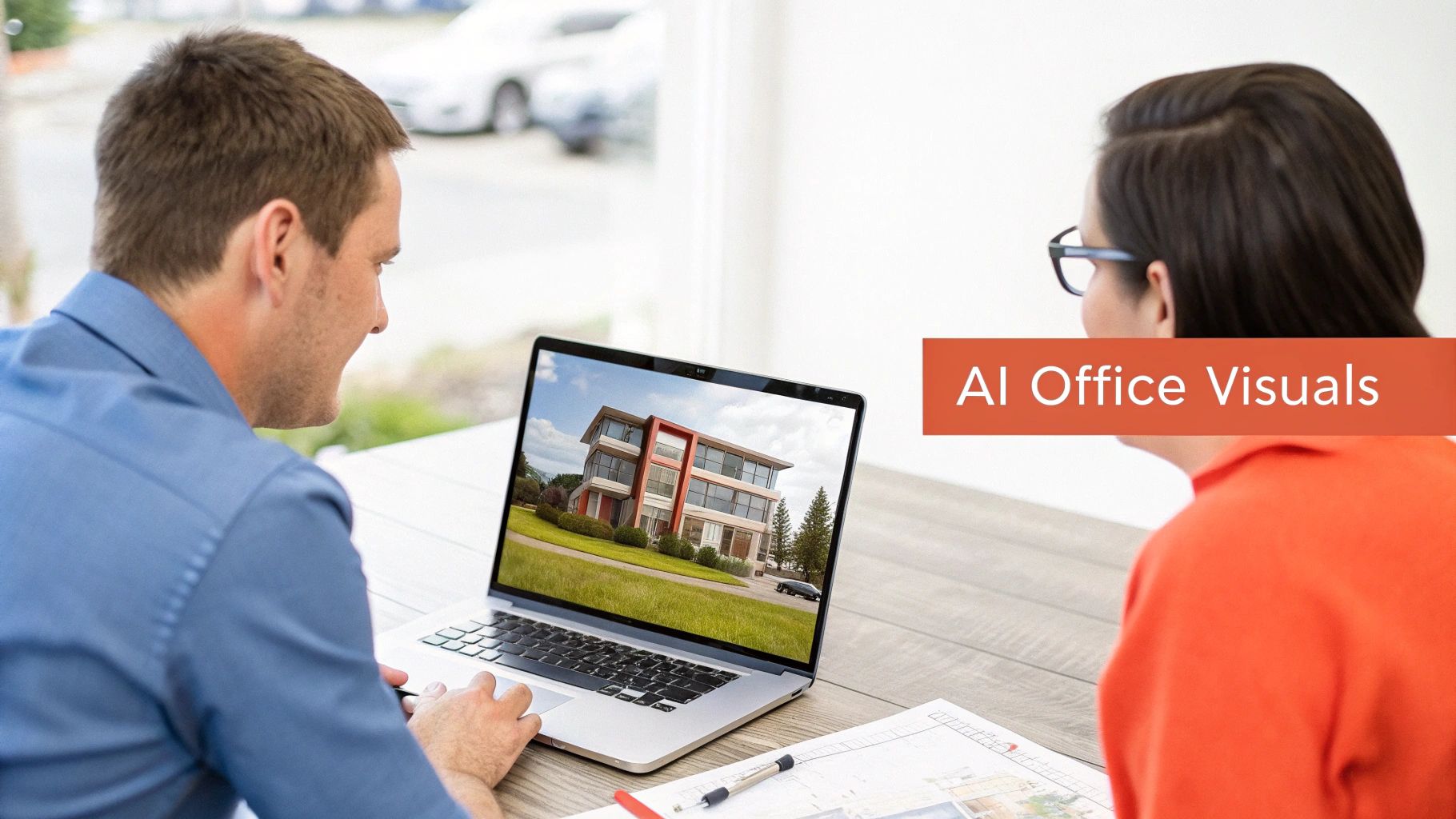
This kind of immediate, customized visual helps clients actually picture their team working and winning in the space you're proposing.
Accelerate Decisions and Close Deals Faster
Let's be clear: the office space market is massive and moving quickly. It's a global market estimated at USD 3.26 trillion and projected to hit USD 4.20 trillion by 2030. Inside that, the flexible office segment is absolutely exploding—expected to grow from USD 109.64 billion to USD 424.13 billion by 2034. Speed and adaptability aren't just nice-to-haves; they're essential.
When clients can see exactly what they're getting, their confidence goes through the roof. Visuals kill the ambiguity that leads to decision paralysis.
By swapping abstract floor plans for immersive, realistic visuals, you're no longer just selling square footage. You're selling a vision of the client's future success. That emotional hook is often what gets the lease signed.
This approach also tightens the feedback loop. A client might see a virtual staging and say, "Love the layout, but can we see it with our brand colors?" In the old days, that was a multi-day detour. Now, you can make that tweak in minutes, right in the meeting, keeping the deal's momentum alive. The ability to collaborate visually with clients is a huge competitive edge.
A New Standard for Client Presentations
When you walk into a meeting with AI visualizations, you're setting a new standard. It's an immediate signal that you’re at the top of your game, equipped with tools that deliver real value.
Think about the advantage. While your competition is showing black-and-white line drawings, you're delivering an interactive experience. It's a fundamentally more persuasive and compelling way to present an office plan.
And this isn't just for empty shells. It's incredibly powerful for showing the potential of a renovation. You can pull up a side-by-side of an outdated office and its AI-redesigned future, instantly proving the ROI on tenant improvements.
Ultimately, this turns a one-way pitch into a collaborative design session. You’re empowering clients to co-create their space, which builds a powerful sense of ownership. That engagement doesn't just secure buy-in; it builds a stronger partnership from day one.
Common Questions We Get About Office Space Planning
Even the most buttoned-up plan will have some lingering questions. We've seen it all. Getting ahead of these common sticking points gives everyone—from the leasing team to the client's C-suite—the clarity and confidence they need to move forward.
Here are the big three we hear almost every day, along with some straight answers.
How Much Office Space Do I Really Need Per Employee?
Throw out the old formula. Simply multiplying your headcount by 150-250 square feet is a surefire way to lease too much (or the wrong kind of) space. That model is dead.
Today, it's all about peak occupancy and the actual activities happening in the office, not a vanity headcount number. The rise of hybrid work completely changed the math. A company with 100 people on the payroll might only see 60 of them on its busiest day. That single data point transforms the entire requirement.
Instead of a simple square footage multiplier, you need to plan for a mix of spaces:
- Individual Work: Think beyond assigned desks. You'll need some for your "anchor" employees who are always in, plus a healthy number of flexible hot desks for everyone else.
- Team Zones: This means a variety of meeting rooms, yes, but also open areas for brainstorming, private pods for one-on-one calls, and casual huddle spots.
- The "Other" Stuff: Kitchens, lounges, wellness rooms, and storage aren't just afterthoughts. These critical support spaces can easily eat up 20-30% of your total footprint, so they have to be part of the calculation from day one.
The question to ask isn't "how much space per person?" It’s "what’s the right mix of spaces to support our team when they’re actually here?" This one shift in perspective leads to a smarter, more efficient workplace every time.
What Is the Biggest Mistake Companies Make When Planning an Office?
Easy. They plan for right now, not for two or three years from now. It's the most common and most expensive mistake we see.
Companies get so caught up in solving today’s pain points—not enough meeting rooms, a sales floor that’s too loud—that they lock themselves into a design that can't grow with them. They build the perfect office for their current 50 employees, complete with hard-walled offices and fixed workstations. It's a disaster waiting to happen.
What happens when they hire 25 more people? Or when their work culture shifts to be more collaborative? That sea of private offices becomes a productivity killer, and they're stuck.
Future-proofing isn't a luxury; it's essential. This means:
- Think Modular: Use furniture systems, movable walls, and flexible power grids that let you reconfigure a space over a weekend, not with a demolition crew.
- Make Spaces Do Double Duty: An "all-hands" area with tiered seating isn't just for quarterly meetings. It's also the lunch spot, the informal lounge, and a place for teams to collaborate.
- Build Growth into the Lease: Don't just lease what you need today. Negotiate options to expand into an adjacent suite or secure a right of first refusal on nearby spaces.
When you prioritize adaptability, you create an office that evolves with the business, saving your client from a costly and painful renovation down the road.
How Long Does the Entire Office Planning and Move-In Process Take?
This is where expectations often collide with reality. Everyone wants to move fast, but underestimating the timeline is a recipe for rushed decisions, blown budgets, and a chaotic move-in day.
While every project has its own quirks, a typical mid-sized office build-out follows a predictable path. Here’s a realistic look at how the sausage gets made, from the first tour to unpacking the last box.
When you add it all up, a full office relocation can easily take 8 to 16 months. And that's without major surprises. Things like complex designs, supply chain delays, or a slow permitting office can stretch the timeline even further. Building in this buffer from the start is the best way to ensure you have time to get it right.
Ready to bring your client's office vision to life? With Bounti, you can instantly transform any empty or outdated space with stunning AI-powered staging, restyling, and virtual renovations. Show clients the true potential of a property in minutes and close deals faster. See how it works at https://www.bounti.ai.