

You’re probably hearing the same question in listing presentations now: “Do you do 3D tours?”
That question used to come up mostly on higher-end listings. Now it shows up everywhere, from move-up homes to rentals to listings where the seller wants proof that you’re going to market the property better than the next agent. Buyers expect to see more before they schedule. Sellers expect you to provide it without turning the listing into a production project.
That’s where the zillow 3d home app matters. It’s not the most advanced visual marketing tool in real estate, and it doesn’t solve every presentation problem. But it is one of the easiest ways to add interactive touring to a listing without bringing in a specialist crew or paying for a more complex platform upfront. For many agents, that makes it the practical starting point.
The smart way to think about it is simple. Use Zillow 3D Home when you need fast, accessible, platform-native touring. Move beyond it when the listing has a tougher visual problem, like clutter, vacancy, dated finishes, or a layout buyers won’t understand without stronger storytelling.
Beyond Photos Why 3D Tours Are Now Table Stakes
A seller doesn’t usually ask for “immersive media architecture.” They ask a much simpler question: “How are you going to get more buyers to notice my home?”
Photos still matter. They always will. But photos alone no longer signal a full-service listing strategy. If another agent walks into the same presentation and can say they’ll publish an interactive tour directly into Zillow’s ecosystem, your static gallery starts to look thin.
The business case isn’t abstract. Listings with a Zillow 3D Home tour receive twice as many views as those without, sell 10% faster on average, and are 22% more likely to sell within 30 days, according to Zillow’s own app listing. For an agent, that affects three things sellers care about immediately: visibility, buyer interest, and speed.
What clients hear when you offer a 3D tour
Clients don’t usually parse the technology. They hear a few practical signals:
- You’re current: You aren’t relying on an old photo-only playbook.
- You reduce friction for buyers: People can pre-qualify the home from wherever they are.
- You take marketing seriously: You’re not treating the listing like a basic upload job.
That matters because sellers compare process as much as personality. If your marketing stack sounds light, they assume your execution will be light too.
Practical rule: If you’re competing for listings in a market where buyers start online, a 3D tour is no longer a premium extra. It’s part of the baseline presentation.
Why table stakes doesn’t mean every tour is equal
This is where a lot of agents get tripped up. They hear “3D tours matter,” then assume any tour automatically solves the marketing problem. It doesn’t.
A good 3D tour helps buyers understand flow, scale, and room connection. A weak one does the opposite. Dark rooms, poor capture order, visible clutter, and awkward transitions can make a listing feel smaller or more chaotic than it does in person.
That’s why the zillow 3d home app is best viewed as a core operating tool, not a magic trick. It gives you a competitive floor. It doesn’t replace judgment, prep, or visual strategy.
For straightforward listings, that floor is often enough. For difficult inventory, it’s only the start.
What Is the Zillow 3D Home App Really
Most agents hear “3D” and assume the app creates a fully modeled digital twin of the property. That’s not quite it.
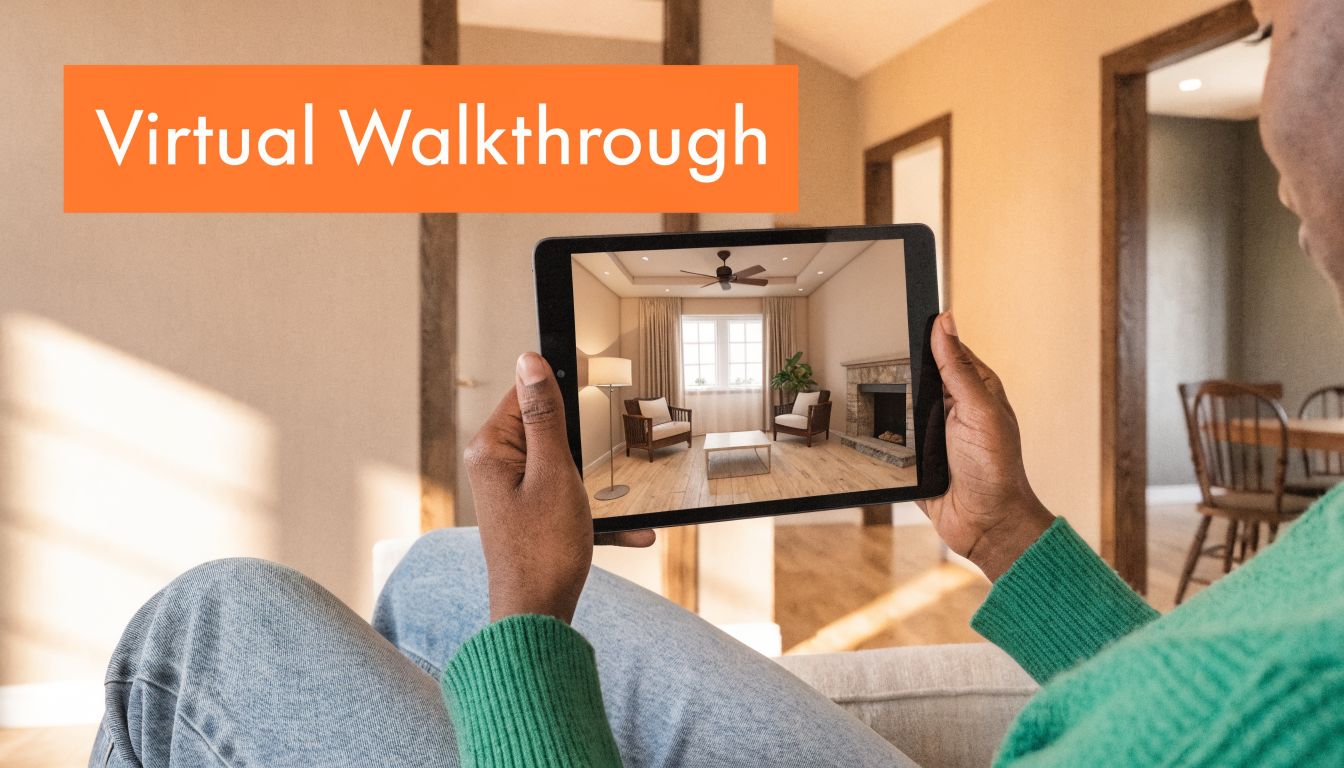
The easiest way to explain the zillow 3d home app is this: it creates a connected walkthrough experience from a sequence of captured viewpoints. Think of it as a digital chain of panoramas that lets buyers move room to room, rather than a cinematic video or a highly detailed architectural scan. It feels interactive and useful, but it’s still different from a more specialized scanning platform.
What the app actually does behind the scenes
The technical side matters only because it explains why the tool is so accessible. Zillow states that the app uses machine learning algorithms, processing 360-degree panoramas with device motion data to reconstruct the space, making fast, free tour creation possible from a smartphone in a process that used to require more expensive and time-consuming professional services, as described in NVIDIA’s overview of Zillow’s launch.
In practical terms, that means the app is doing a lot of the assembly work for you. You capture the space in sequence. The software figures out how those positions connect.
What buyers experience
From a buyer’s side, the result is useful because it answers questions photos can’t answer well:
- How does the kitchen connect to the main living area
- Where is the primary bedroom in relation to the rest of the floor
- Does the home feel open, chopped up, narrow, or more spacious than the photos suggest
That’s why agents like it. It gives structure to the listing without requiring a full production workflow.
The best way to describe Zillow 3D Home to a seller is simple: it helps buyers understand the property before they step inside.
What it is not
It’s not a replacement for strong listing photos. It’s not a renovation preview tool. It’s not a staging engine. And it won’t turn a poorly prepared property into a compelling one by itself.
That distinction matters because many agents overestimate what “3D” will do. If the home is vacant, cluttered, dated, or visually confused, the app will document those problems accurately. It won’t solve them.
So yes, the app is smart. But the right expectation is this: it’s a fast capture and walkthrough tool, not a full visual transformation platform.
Key Features and Critical Limitations for Agents
The zillow 3d home app earns its place because it removes the two biggest barriers that usually stop agents from adopting richer media: cost and complexity. It’s free, it’s tied directly to a platform buyers already use, and the learning curve is manageable for agents, assistants, photographers, and marketing coordinators.
That combination is why so many teams treat it as a standard operating tool. You don’t need to build an entirely new workflow around it. You can fold it into a listing launch process without adding much friction.
What works well in day-to-day listing marketing
For working agents, the app’s strongest features are practical:
- Low barrier to entry: You can start with a phone and capture a usable tour without hiring outside help.
- Fast publishing path: It fits naturally into Zillow-focused listing distribution.
- Useful buyer experience: It helps shoppers understand layout and flow better than still photos alone.
- Simple team adoption: Most agents can learn the workflow quickly enough to use it consistently.
That last point matters more than people admit. A tool that’s slightly less powerful but gets used will outperform a better tool that sits untouched because no one on the team wants to deal with it.
Where the limits show up fast
The app’s trade-offs become obvious the moment the listing needs more than straightforward capture.
First, full functionality depends on hardware. Zillow’s own FAQ makes this clear: interactive floor plans require a compatible 360° camera such as certain Ricoh Theta or Insta360 models, while smartphone-only capture creates a virtual tour but not the floor plan. That’s a critical distinction for agents who assume a phone alone provides access to the complete feature set.
Second, the app is capture-focused. It records what’s there. If the property is vacant, cluttered, poorly furnished, or visually dated, you won’t get much help fixing those problems inside the platform.
Third, editing flexibility is limited compared with more advanced visual marketing workflows. You need to plan the shoot correctly because you can’t rely on deep post-production to rescue sloppy execution.
If a home already shows well, Zillow 3D Home can amplify it. If a home doesn’t show well, Zillow 3D Home can expose that just as efficiently.
A quick pro and con view
| Perspective | Where it helps | Where it falls short |
|---|---|---|
| Agent workflow | Easy to add to listings and train across a team | Requires discipline during capture |
| Seller presentation | Signals a modern marketing plan | Doesn’t answer staging or renovation objections |
| Buyer experience | Improves understanding of flow | Quality varies based on prep and capture choices |
| Media output | Useful interactive tour | Not a substitute for visual enhancement tools |
The biggest mistake is treating the app like a complete listing media solution. It isn’t. It’s a strong foundational layer for exposure and engagement, especially on residential listings that are already presentable.
If you keep that expectation clear, the app performs well. If you expect it to fix visual merchandising problems, you’ll hit the ceiling quickly.
How to Capture a Great Tour Best Practices and Pitfalls
Most weak Zillow tours don’t fail because of the app. They fail because the capture plan was sloppy.
Agents rush, skip prep, shoot in bad light, or move through the house without a clear path. Then they blame the technology. In reality, the zillow 3d home app rewards consistency more than creativity.

Start with prep, not capture
Before you open the app, walk the property as if you were the buyer seeing it for the first time. Decide the path. Figure out which rooms matter most. Remove distractions you know will become visual speed bumps in a tour.
Use a checklist like this:
- Clear surfaces first: Kitchen counters, bathroom vanities, nightstands, and entry tables collect visual noise fast.
- Turn on lights selectively: Aim for a bright, consistent feel. If a bulb color is wildly different from the room next to it, fix that before capture.
- Open interior doors thoughtfully: A cramped room can feel more connected if the doorway sightline is clean.
- Hide the operational clutter: Trash cans, cords, pet bowls, floor fans, and cleaning supplies read louder in tours than many agents expect.
For additional guidance on balancing window light and interior exposure, this breakdown of HDR photography for real estate is worth reviewing before your next shoot.
Capture order matters more than most agents think
The app is easier to move through when the tour follows the logic of the home. That sounds obvious, but many tours jump awkwardly because the operator captured spaces in convenience order instead of buyer order.
A better sequence usually looks like this:
- Start at the natural entry experience
- Move through main living spaces before secondary rooms
- Keep room-to-room transitions intuitive
- Finish with bonus spaces, outdoor areas, or utility rooms
If the first few nodes feel confusing, buyers often stop exploring.
Field note: Don’t treat closets, laundry areas, patios, or mudrooms as afterthoughts when they help explain the home’s livability. Buyers notice what’s missing.
During capture, stay boring
This is one of those times when boring is good. Keep the camera height consistent. Keep placement centered where possible. Don’t get fancy with angles. Don’t try to “show style” with a dramatic position that makes navigation awkward later.
A few practical habits help a lot:
- Use a tripod when possible: Stability improves the overall feel of the tour.
- Stand clear of mirrors and reflective surfaces: Bathrooms and gyms expose lazy positioning immediately.
- Pause before each capture point: Small movements can create a sloppy result.
- Check sightlines: If a room’s best feature is a fireplace, view, or island, place the capture point so buyers see it quickly.
A visual walkthrough of the app in action can help newer users tighten their process:
Common mistakes that hurt the final tour
The worst errors are usually simple:
- Shooting before staging or cleanup is done
- Capturing mixed lighting that makes rooms feel uneven
- Skipping transitions between major rooms
- Forgetting exterior or amenity spaces that complete the story
- Relying on the app to “fix it later”
It won’t.
A clean, logical, well-lit capture session produces a much stronger result than trying to rescue a rushed one after the fact.
Integrating 3D Tours with Zillow Listings and MLS
Once the tour is captured, the next question is distribution. Agents then either compound the value of the asset or let it sit underused.
The first advantage is native platform exposure. In Zillow’s broader mobile ecosystem, 75% of all Zillow visits come through mobile, and listings with 3D Home tours benefit from specialized placement and dedicated emails to buyers, according to this review of Zillow usage and platform reach. That’s the primary reason many agents start here. The tour doesn’t just exist. It gets surfaced where buyer attention already lives.
The two distribution paths that matter
Agents should treat the publishing workflow as two separate jobs.
First, the Zillow ecosystem.
This is the easiest side. Once the tour is processed inside Zillow’s system, it’s positioned to work within Zillow’s own buyer-facing experience, including its related listing exposure.
Second, your MLS.
This side is less automatic and often more important than agents expect. Every MLS handles media, branding, and virtual tour fields a little differently. Some boards are strict about link format, branded elements, and what counts as compliant media. Always confirm the current rule set with your local MLS before you push the final link live.
How to make the media package work together
A 3D tour should support the listing package, not sit beside it like an isolated feature. Strong agents coordinate the tour with the photo set, remarks, gallery order, and marketing copy so the buyer gets one coherent story.
That’s also why image optimization still matters. If you want a better framework for how listing visuals support discoverability and narrative, this guide on how to optimize images for SEO, storytelling, and local search is useful beyond just your website content.
You can also think of the 3D tour as one component inside a broader listing presentation system, especially when paired with richer media libraries and enhanced property galleries.
A virtual tour doesn’t replace strong listing structure. It works best when the gallery, headline photos, and tour all reinforce the same strengths of the home.
What agents often miss
The missed opportunity isn’t usually capture. It’s follow-through.
Agents spend time creating the tour, then fail to verify placement, fail to check how it appears on mobile, or fail to confirm that the MLS version is compliant and visible. A quick audit after publishing matters. Open the listing like a buyer would. Test the tour. Make sure the asset is doing real work.
Beyond the Basics Zillow 3D Home vs The Alternatives
At some point, every agent has to decide whether the zillow 3d home app is enough for a specific listing. Sometimes it is. Sometimes it clearly isn’t.
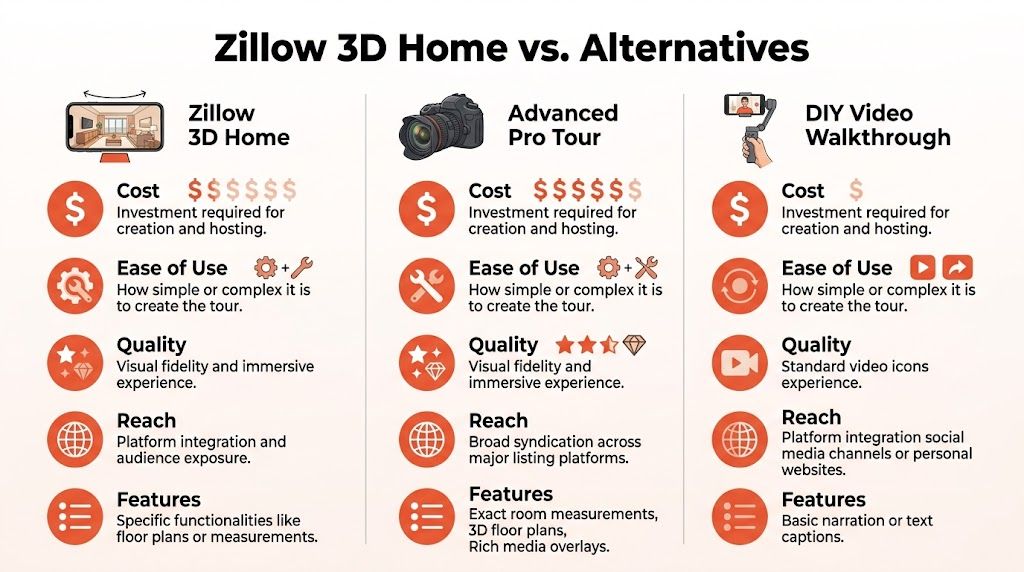
The easiest way to make that decision is to separate the tools by job. Zillow 3D Home is the accessible baseline. A professional scanning platform like Matterport is for higher-fidelity immersive capture. An AI-driven workflow solves a different category of problem altogether by changing how the property is presented, not just how it’s documented.
Zillow 3D Home as the practical baseline
Zillow 3D Home is a strong choice when the property already shows reasonably well and you want a no-cost path into interactive touring. It’s especially useful when your goal is simple: improve online engagement, help buyers understand layout, and strengthen the listing inside Zillow’s ecosystem.
Where it stops being enough is when the home needs interpretation, not just capture.
Vacant condo. Dated kitchen. Crowded family room. Odd bonus space. Those aren’t touring problems. They’re visual merchandising problems.
Matterport for higher-end immersive capture
Matterport sits in a different category. It’s typically the route when you want a more polished, more technical, more premium-feeling immersive experience. If you’re marketing a property where spatial detail and scan quality are central to the presentation, that level of fidelity can make sense.
The trade-off is workflow burden. More equipment, more process, and usually more cost or vendor coordination. That doesn’t make it wrong. It just makes it a selective tool rather than an everywhere tool for most agents.
AI workflows solve a different problem
Many comparisons often get sloppy. Agents often compare Zillow and AI tools as if they’re direct substitutes. They aren’t.
Zillow 3D Home captures what exists. AI visual workflows help buyers see what could exist.
That matters because one of Zillow’s biggest gaps is explicit: the app lacks virtual staging and AI enhancement features. The Google Play description referenced in the verified data also notes that industry data shows AI virtual staging can increase offers by up to 25%, a capability Zillow’s capture-focused product does not provide, as referenced in the app listing on Google Play.
If you’re evaluating your broader tech stack, this roundup of best marketing tools for real estate agents is a helpful way to think about where capture tools fit versus content, CRM, and presentation tools.
Virtual Tour & Marketing Options Compared
| Attribute | Zillow 3D Home | Matterport | Bounti (AI Workflow) |
|---|---|---|---|
| Primary job | Fast interactive tour capture tied to Zillow | Premium immersive spatial presentation | Visual transformation and marketing asset generation |
| Best for | Straightforward listings that already present well | Listings where detailed immersive capture justifies extra production | Listings with clutter, vacancy, dated finishes, or presentation issues |
| Setup burden | Low | Higher | Low after walkthrough capture |
| Floor plan capability | Available with supported 360° hardware | Typically part of a more advanced scanning workflow | Not the core function |
| Virtual staging and restyling | No | Limited to the platform’s core capture purpose | Designed for this category of work |
| Ideal agent question | “How do I add a tour fast?” | “How do I create a premium immersive scan?” | “How do I make this property look more marketable?” |
When to choose which option
Choose Zillow 3D Home when the home is clean, occupied appropriately, and already photogenic enough that documentation does the job.
Choose Matterport when the listing’s value proposition depends on a more robust immersive experience and you’re willing to absorb the heavier process.
Choose an AI-first workflow when the as-is condition is the obstacle. That’s the category where tools that support virtual staging, decluttering, restyling, and renovation visualization change buyer response more than a standard tour ever will. If you want a deeper look at that category, this virtual staging guide for real estate is a useful reference.
The best agents don’t ask which tool is best in general. They ask which tool solves the listing in front of them.
That’s the core framework. Not good versus bad. Fit versus mismatch.
Conclusion Choosing Your Visual Marketing Strategy
The zillow 3d home app deserves its place in a modern listing workflow. It’s accessible, practical, and tied to one of the biggest buyer discovery channels in the market. For many residential agents, it’s the fastest way to stop showing up with a photo-only marketing package.
But it’s still a baseline tool.
Use it when the home already presents well and your job is to increase visibility, improve layout understanding, and make the listing more competitive online. Don’t expect it to solve bigger presentation problems. It won’t fix clutter. It won’t furnish a vacant room. It won’t modernize dated finishes or help buyers imagine a better version of the space.
That’s where stronger visual marketing strategy starts. Top agents don’t just add media. They match the media to the problem. Sometimes that means a fast Zillow tour. Sometimes that means a more advanced immersive platform. Sometimes it means using AI to turn a hard-to-sell property into one buyers can picture themselves in.
If you want to go beyond basic capture, Bounti Labs helps turn a single property walkthrough into a fuller marketing package. You can create MLS-ready visuals, pull stills, and transform spaces with AI-powered decluttering, staging, restyling, or renovation concepts when the listing needs more than an as-is tour.



